TL;DR
Listen free for 30 days with Audible
Thousands of audiobooks and originals — cancel anytime.
Start your free trialAs an affiliate, we earn on qualifying purchases.
Your phone’s built-in timer and voice commands make cooking easier, but they can distract you or fail if the battery dies. Combining digital and traditional timers ensures safety and precision in your kitchen.
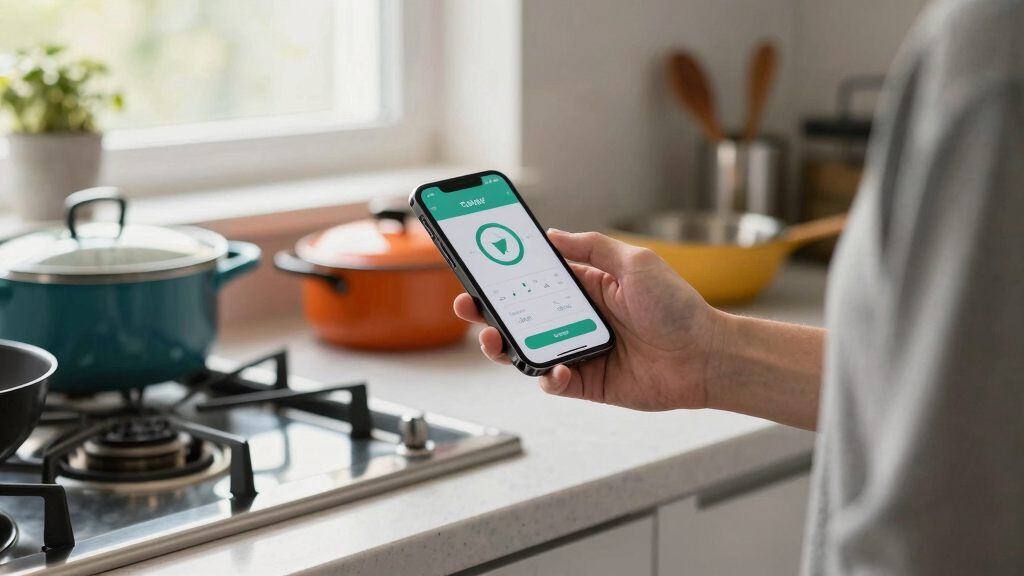
Imagine you’re halfway through making a delicate souffle or boiling pasta, and suddenly your phone rings or you get distracted. Using your phone as a kitchen timer is incredibly handy—quick, accessible, and often just a tap or voice command away. But it’s not foolproof. Knowing when your phone works best in the heat of the kitchen, and when it doesn’t, can save you from overcooked dishes or worse.
This guide walks you through how to set up your phone as a timer, the latest features that make it easier, and the moments when sticking with a classic kitchen timer is smarter. Trust me, a little awareness can prevent burnt dinners and missed alarm moments.
Use your phone’s built-in timer or voice commands for quick, hands-free cooking timing.
Always enable notifications and customize alert sounds to avoid missing alarms.
Keep a traditional timer as a backup for safety-critical or messy kitchen situations.
Environmental factors like humidity or grease can damage phones, so don’t rely solely on them in tough conditions.
Set multiple timers on your phone for complex recipes, but don’t forget safety first—especially near open flames or hot oil.
How to Set Your Phone as a Kitchen Timer—Simple Steps to Mastery
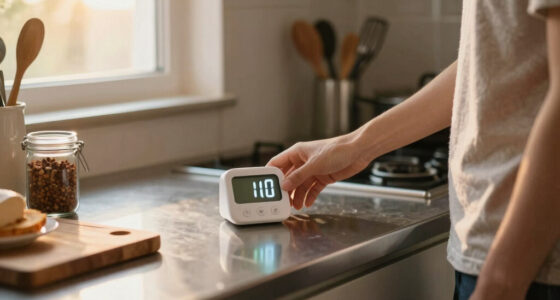
Using your phone as a timer is straightforward. Here’s a quick step-by-step:
- Open the clock or timer app on your phone. For most, it’s pre-installed and easy to find.
- Enter the desired time—say, 15 minutes for boiling potatoes or 30 for roasting veggies.
- Tap start, and your phone will sound an alert when time’s up. Some apps let you run multiple timers if you’re juggling different tasks.
- For hands-free convenience, activate voice commands. Say, “Set a timer for 10 minutes,” and your phone will do the rest.
- Ensure notifications are enabled so you’ll hear or see the alert, even if your screen is off.
For example, when baking bread, setting a precise timer on your phone ensures you don’t forget that loaf in the oven.

Antonki 2 Pack Digital Timer for Kids Classroom Kitchen Timers for Cooking
- Dual Timing Modes: Count up and countdown functions
- Adjustable Alarm Settings: Loud and silent modes for different needs
- User-Friendly Design: Large screen, clear buttons, easy to operate
As an affiliate, we earn on qualifying purchases.
As an affiliate, we earn on qualifying purchases.
Why Voice Assistants Make Kitchen Timing a Breeze
Voice assistants like Siri, Google Assistant, or Alexa turn your phone into a hands-free partner. Just say, “Hey Siri, set a timer for 20 minutes,” and you’re free to chop, stir, or plate without touching your phone. According to Timer Tools, voice commands are used by 65% of home cooks for quick, accurate timing.
Understanding why voice commands are so popular helps you leverage this feature effectively. They reduce the need to manually interact with your device, which can be cumbersome when your hands are occupied or messy. This reduces the likelihood of dropping your phone into ingredients or knocking it off the counter. However, reliance on voice commands also introduces potential issues—if your voice recognition fails or if background noise is loud, the command might not be registered. So, knowing your environment and testing commands beforehand can ensure smoother operation. The key is to view voice assistants as an extension of your kitchen workflow, streamlining timing without sacrificing safety or accuracy.
Integrating voice commands into your routine can save time and keep your focus on cooking. But always double-check that the timer is set correctly, especially for critical steps, to avoid mishaps.

Magnetic Kitchen Timer, Smart Voice Activated Countdown Device
- Magnetic Base for Easy Mounting: Sticks securely to metal surfaces
- Bright Digital Display: Clear, easy-to-read countdown screen
- Simple Rotary Timer: Reliable classroom alarm functionality
As an affiliate, we earn on qualifying purchases.
As an affiliate, we earn on qualifying purchases.
The Hidden Risks of Relying on Your Phone During Cooking
Using your phone as a timer is convenient, but it’s not foolproof. Phones can distract you, especially if notifications pop up or if you get a call mid-cooking session. An overstuffed pocket or a greasy countertop can lead to accidental drops or damage.
More importantly, consider the implications of these risks: a distracted cook might forget to check the timer or might accidentally dismiss it, leading to overcooked or burnt food. Damage to your device from steam, oil, or water can render your timer useless at a critical moment, increasing the risk of kitchen mishaps. The environmental conditions in a kitchen—humidity, heat, grease—are often overlooked but can significantly impair your device’s functionality. These factors highlight why relying solely on your phone can be dangerous in certain scenarios. The tradeoff is clear: convenience versus safety. In high-stakes cooking, such as frying or canning, the margin for error is slim. A dedicated, physical timer is designed to withstand kitchen conditions and provide a reliable alert, minimizing the chance of oversight.
Therefore, understanding these risks encourages you to develop a decision framework: use your phone for routine tasks but switch to a dedicated timer when safety, environmental factors, or precision are paramount. This layered approach helps you manage the tradeoffs effectively, ensuring both convenience and safety in your cooking routine.

60 Minute Wind Up Timer, Visual Mechanical Timer with Loud Alarm, Manual Countdown Timers for Classroom, Home, Study and Cooking (White)
- No Batteries Needed: Eco-friendly and energy-saving design
- Mechanical Operation: Powered by spring mechanism
- Easy to Use: Wind up and set the timer
As an affiliate, we earn on qualifying purchases.
As an affiliate, we earn on qualifying purchases.
Compare Your Phone Timer to Classic Kitchen Timers
| Feature | Smartphone Timer | Traditional Kitchen Timer |
|---|---|---|
| Accuracy | Within 1-2 seconds, dependable for most tasks | Same as digital, usually reliable |
| Ease of Use | Quick via app or voice; multiple timers possible | Simple dial or button; one at a time |
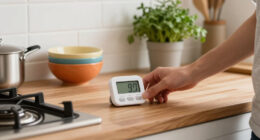
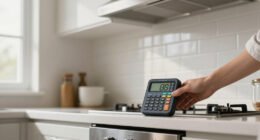
| Portability | Always with you, but needs charge | Standalone device; no power needed |
| Distraction Risk | High if notifications distract you or if phone rings | Low; no notifications or distractions |
| Durability | Can break or get damaged, especially in humid or greasy environments | Built for kitchen conditions |
While your phone wins on convenience, a dedicated timer is more rugged and distraction-proof—especially in messy kitchens or when safety matters most.

6 Pack Multi-Function Electronic Timer, Learning Management, Suitable for Kitchen, Study, Work, Exercise Training, Outdoor Activities(not Including Battery)
- Color Options: Six vibrant colors included
- Versatile Usage: Suitable for various timing needs
- Easy Placement: Stand and magnet for flexible placement
As an affiliate, we earn on qualifying purchases.
As an affiliate, we earn on qualifying purchases.
When Your Phone Timer Isn’t Enough—Times to Use a Classic Timer
Your phone timer works well for most cooking, but there are times when a traditional timer beats it. If safety, precision, or environment is a concern, switch gears.
- High-Risk Cooking: When dealing with hot oil, open flames, or boiling liquids, a dedicated timer reduces distraction and risk. Using a physical timer ensures that the alert is loud and reliable, regardless of phone issues or distractions, which is crucial for safety in dangerous situations.
- Complex Recipes: Multiple timers for different steps (proofing dough, baking, resting) are easier with physical timers or apps with multiple alarms. This prevents confusion and helps you stay organized, especially when multitasking or managing multiple dishes simultaneously.
- Unreliable Environment: Humid, greasy, or smoky kitchens can damage phones or make screens unresponsive. In such conditions, a sturdy, dedicated timer designed for kitchen environments guarantees that you get timely alerts without risking device failure.
- Long or Critical Tasks: For extended cooking (over an hour), a backup timer ensures you stay on track even if your phone runs out of juice. It also avoids the frustration of missed alerts due to battery drain or software glitches.
- When Your Phone Is Out of Reach: For example, when you’re washing dishes or working outside, a standalone timer on a hook or counter is more reliable. It keeps your timing accessible without interrupting your workflow or risking water or dirt damage to your device.
In these scenarios, choosing a dedicated, durable timer or even a simple egg timer isn’t just about convenience—it’s about making a conscious decision to prioritize safety, reliability, and efficiency in your cooking process. Developing this decision framework helps you evaluate each situation and choose the right tool for the job, balancing convenience with safety considerations.
Frequently Asked Questions
Can I rely on my phone’s timer for precise baking or canning?
Yes, most smartphones are accurate within a second or two, making them suitable for precise baking or canning. Just ensure your phone’s clock is synchronized and the volume is loud enough to hear.
How do I prevent my phone from ringing or distracting me while cooking?
Use the ‘Do Not Disturb’ mode or silent alerts during cooking. You can also customize notification sounds or vibrations to only alert you when your timer goes off, minimizing distractions.
What if my phone’s battery dies mid-canicure or roast?
That’s exactly why a dedicated kitchen timer is smart backup. Keep a simple analog timer or a digital timer with batteries to ensure you’re never caught off guard.
Are there smart apps that manage multiple timers better than the default clock?
Yes, many third-party apps offer features like multiple simultaneous timers, custom alerts, and recipe integrations, making complex cooking easier without juggling devices.
Is it safe to keep my phone near a hot stove or open flame?
Generally, it’s better to keep your phone at a safe distance from heat, flames, or oil splashes. Use a stand or mount to keep it protected and avoid damage or fire hazards.
Conclusion
Your phone makes timing in the kitchen a breeze, but don’t let convenience blind you to its limits. Keep a reliable backup ready, and be mindful of environmental risks and distractions. Sometimes, the old-school timer is still the safest choice.
Next time you set a digital timer, picture it as your sous-chef—ready to alert you, but not a substitute for your judgment and caution. After all, good cooking is about timing, yes, but also about safety and focus.
Back to school Picks
back to school
As an affiliate, we earn on qualifying purchases.