
TL;DR

Get kitchen gear delivered free with Prime
- Fast, free delivery on millions of items
- Prime Video, Amazon Music and more included
- Member-only deals all year
Visual timers display the passage of time through colored bars, countdowns, or images, helping kids and cooks grasp how much time is left or gone. They improve behavior, independence, and kitchen efficiency by offering a clear, non-verbal way to track time passing.
Imagine trying to cook dinner without knowing how long something has been on the stove. Or managing a child’s screen time without a clear sense of how much remains. Visual timers solve this by turning the passage of time into a simple, vivid display. They are everywhere — in kitchens, classrooms, therapy rooms — because they work.
This guide will show you how visual timers help kids and cooks stay on track, cut down anxiety, and make routines smoother. We’ll explore their design, latest tech trends, and practical tips so you can pick the right one for your needs.
Visual timers turn the passage of time into an easy-to-understand visual cue, reducing anxiety and increasing independence for kids.
Choosing the right features—like bright visuals, adjustable settings, and simplicity—makes a huge difference in how effectively you use a visual timer.
Recent tech advances mean you can now find smart, customizable visual timers that sync with apps or smart home systems for even more convenience.
They are equally powerful in the kitchen, helping you cook more precisely and avoid overcooking or burning food.
Visual timers are proven to improve behavior management and time awareness, especially in children with developmental challenges.
How Time-Elapsed Displays Help Kids and Cooks
TL;DR: Visual timers turn abstract minutes into colored bars, countdowns, rings, or changing images. That simple shift helps children understand transitions, supports independence, and gives cooks a clearer way to prevent overcooking.
Instead of waiting for an alarm, users watch time shrink, fill, or change color as a task progresses.
Predictable visual cues reduce transition stress for children and help cooks time multiple steps at once.
Clear, predictable cues can reduce anxiety and improve behavior regulation, especially for children with ADHD or autism.
Bars, countdowns, and changing images make elapsed time visible.
Homes, classrooms, therapy rooms, and kitchens use visual timers daily.
Flexible timers should handle quick transitions and longer routines.
Non-verbal progress cues reduce repeated reminders and uncertainty.
What makes a visual timer useful?
The best timer is not always the most advanced one. It is the one that makes time obvious at a glance, fits the environment, and stays simple enough to use under pressure.
Adjustable Duration
Choose timers that can handle tiny transitions, homework blocks, baking intervals, and hour-long routines without awkward setup.
FlexibilityBright Visual Cues
A shrinking red bar, color-changing ring, or animated image should be readable from across a room without constant checking.
VisibilitySound Control
Some routines need a gentle chime. Others need silence, especially in classrooms, therapy rooms, or calm bedtime transitions.
AudioDurable Build
Rubberized bodies, clip-ons, and splash-resistant surfaces help timers survive backpacks, counters, spills, and busy hands.
PortabilitySimple Controls
Big buttons and clear displays matter when a toddler, student, or distracted cook needs the timer to work on the first try.
UsabilityBalanced Design
Highly customizable timers can motivate users, but too many choices may become distracting or difficult to operate.
TradeoffFrom abstract minutes to visible progress
Visual timers work because they translate time into a shape people can perceive without calculation. That makes them especially helpful during transitions, cooking steps, and repeated routines.
Set the task
Screen time, homework, cookies, pasta, or a nap routine gets a defined window.
Show the time
A bar shrinks, a ring changes color, or an image gradually disappears.
Reduce guessing
Users stop asking how long is left because the answer is visible.
Signal transition
The final cue prepares the brain for a change instead of a surprise.
Build routine
Repeated use supports independence, self-regulation, and calmer timing.
Timer formats compared
Traditional timers tell you when time is up. Visual timers show time passing, which changes how children, cooks, and caregivers respond before the alarm ever sounds.
| Timer Type | How It Displays Time | Best For Kids | Best For Cooking | Tradeoff |
|---|---|---|---|---|
| Countdown Visual Timer | Shrinking bar, disappearing color, or reducing circle | ✓ Excellent for transitions | ✓ Strong for recipe steps | May feel urgent if colors are too intense |
| Count-Up Timer | Elapsed time increases from zero | ~ Useful for awareness | ✓ Good for tracking simmer time | Does not show how much time remains |
| Analog Dial Timer | Rotating dial or moving hand | ✓ Concrete and tactile | ~ Useful but less precise | Can be harder to read from far away |
| Smart App Timer | Animated screen, themes, remote control, notifications | ✓ Motivating with themes | ✓ Syncs multiple kitchen tasks | Connectivity and distraction risk |
| Sound-Only Timer | Alarm or beep after a set duration | ✗ No visible transition cue | ~ Works for simple timing | Surprise alarms can increase stress |
Where the benefits show up
Visual timers are small tools with wide reach: behavior management, time awareness, meal timing, and smoother daily routines all improve when time becomes visible.
Use-case impact map
Complexity spectrum
Choose the simplest timer that still solves the real problem. A child who needs predictability may benefit from one clear shrinking color, while a busy cook may need multiple synced timers.
Traceability: why the cue works
The power is not just in counting down. It is in connecting a visible cue to a predictable next action, then repeating that pattern until it becomes a routine.
Visible Time
Minutes become shape, color, or movement.
Instant Read
No math, clock reading, or repeated asking.
Lower Anxiety
The ending is expected, not sudden.
More Independence
Children can monitor routines themselves.
Better Cooking
Food gets checked before it overcooks.
Smoother Finish
Tasks end with less fuss and more clarity.
Latest tech trends
Smart timers add personalization, remote checks, and multi-task syncing. The upside is flexibility. The caution is that too much complexity can distract from the simple goal: making time easier to understand.
What is new now?
App-based timers can show animated characters, drag-to-set sliders, multiple countdowns, and smart-home alerts. A parent can set a colorful countdown from a phone; a cook can run several timers for pasta, vegetables, and the oven.
The strongest designs still keep the cue clear: one task, one time window, one obvious visual state.
Selection checklist
Use visuals first
A timer should communicate time left or time elapsed before anyone has to read numbers.
Balance support
Timers are tools for awareness, not replacements for learning how time feels internally.
Choose for context
Classrooms need calm cues. Kitchens need durable visibility. Families often need both.
What Features Make a Visual Timer Truly Useful?
When choosing a visual timer, look for features that match your needs. Here are key points:
- Adjustable Time Settings: Set different durations easily, from 30 seconds to an hour.
- Bright Visual Cues: Colors, animations, or images that are easy to see from across the room. For example, a timer with a red shrinking bar can clearly show when time is running out, much like a fuel gauge in a car.
- Sound Options: Some timers combine visuals with alarms; others stay silent. Imagine a child baking cookies: a visual countdown paired with a gentle chime can signal when they’re done, helping them learn timing without needing to check constantly.
- Portability & Durability: Rubberized bodies or clip-ons work well in busy kitchens or classrooms. For instance, a timer clipped onto a backpack or apron can travel easily and withstand rough handling.
- Ease of Use: Simple buttons and clear displays matter, especially for kids or non-tech-savvy users. Picture a parent setting a timer for a toddler’s nap with a single press and a big, colorful display.
Tradeoffs exist: highly customizable timers may be more complex to operate, and brighter visuals can sometimes be distracting if not chosen carefully. Balancing functionality with simplicity ensures the timer serves its purpose without becoming a source of confusion or frustration.
As an affiliate, we earn on qualifying purchases.
The Latest in Visual Timer Tech — What’s New?
Smart visual timers are changing the game. For example, imagine a parent setting a timer on their phone that displays a colorful animated countdown, then remotely checking on their child’s progress in the playroom. Or a chef using a smart kitchen timer that syncs with a cooking app, showing a visual progress bar on their tablet as the dish cooks.
Apps now offer interactive features—dragging a slider to set time, choosing animated characters like a bouncing ball or a running clock, or syncing multiple timers for different tasks like laundry, homework, and cooking. Multi-function devices combine timers, alarms, and educational games, making them versatile and engaging. Think of a timer that not only counts down but also plays a short story or displays a cartoon character’s face as the time counts down.
The implications of this technology are profound: they provide greater flexibility and personalization, which can motivate users to stick with routines. For example, a child might be more eager to finish homework if their timer features their favorite superhero. However, dependency on apps or smart devices might introduce issues like connectivity problems or distraction from other tasks. Additionally, some users may find these advanced features overwhelming, so selecting a timer with the right level of complexity for your comfort and needs is crucial.
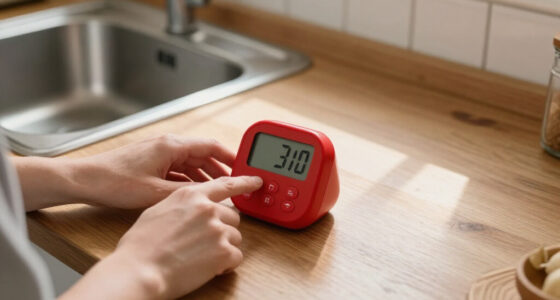
kids visual timer with colored bars
As an affiliate, we earn on qualifying purchases.
As an affiliate, we earn on qualifying purchases.
Key Facts You Should Know About Visual Timers
Research from Timer Tools shows visual timers boost behavior management in children, especially those with developmental challenges. For example, a child with autism might struggle with transitions, but a visual timer showing a shrinking rainbow bar can help them understand when a preferred activity is ending, reducing tantrums.
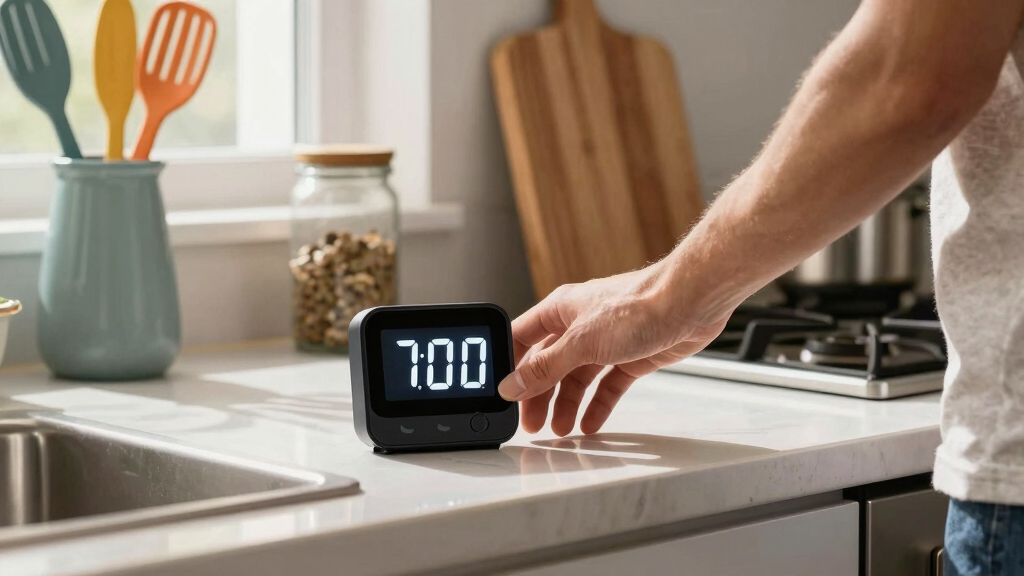
In kitchens, visual timers help prevent overcooking and reduce stress. Picture setting a timer with a bright, color-changing ring that gradually turns from green to red as the food cooks—this visual cue helps you know precisely when to check or remove items, much like a traffic light signaling stop.
Understanding these facts highlights the importance of visual timers as tools that influence behavior and efficiency. They not only serve as simple countdowns but also as behavioral cues that can reshape how children perceive and respond to time. For cooks, realizing that visual cues can prevent costly mistakes underscores their practical value. The tradeoff is that over-reliance on visual timers without developing internal time awareness could potentially diminish a person’s ability to estimate time independently, so balanced use is recommended.
As an affiliate, we earn on qualifying purchases.
Conclusion
Visual timers transform the way we see and manage time. They make routines clearer, reduce stress, and boost confidence—whether in the kitchen or during homework. Their visual cues turn abstract minutes into tangible progress, helping everyone stay on track.
Next time you set a timer, consider a visual one. It’s a small change that makes a big difference—more control, less fuss, and a lot more clarity.
As an affiliate, we earn on qualifying purchases.
Fall Picks
fall essentials
As an affiliate, we earn on qualifying purchases.