
TL;DR

Get kitchen gear delivered free with Prime
- Fast, free delivery on millions of items
- Prime Video, Amazon Music and more included
- Member-only deals all year
Classroom and PE timers are essential for managing activities smoothly, whether through digital, analog, or visual tools. They help organize transitions, boost student independence, and are evolving with new tech for better control and insights.
Ever watched a group of kids scramble to get ready, unsure if they have time left? Or seen a PE class pause awkwardly, waiting for instructions? Timers turn chaos into clarity. They aren’t just about counting down; they’re the secret weapon for smooth transitions, engaged students, and fewer disruptions.
Whether you’re managing a busy classroom or a lively gym, having the right timer in your toolbox makes a difference. This guide walks you through the types, features, and smart ways to use timers to keep your activities ticking perfectly to the clock.
Choose timers based on your activity and student needs—digital, analog, or visual.
Features like alarms, lights, and multiple settings improve management and engagement.
Use timers to cue transitions, reduce downtime, and foster independence.
Leverage modern tech—apps and remote controls—to manage multiple timers seamlessly.
Practice routines and set clear expectations to maximize timer benefits.
What Types of Timers Make Managing Group Activities Easier?
Choosing the right timer depends on your setting and your students’ needs. Digital timers are precise, with alarms and multiple settings—perfect for varied activities. Analog timers are simple and visual, great for younger kids or quick checks. Visual timers use color-coded segments or lights, helping students grasp how much time is left without needing to read numbers.
Understanding the strengths and tradeoffs of each type is crucial. Digital timers excel in precision and flexibility but can be more complex to operate, which might be overwhelming for some users. Analog timers are more straightforward but less customizable, making them suitable for quick checks or environments where simplicity is key. Visual timers bridge the gap for early learners or students with special needs, providing immediate visual cues that support comprehension and independence. Recognizing these differences helps you select a timer that aligns with your goals—whether it’s accuracy, ease of use, or visual support—and ensures your activity management is both effective and inclusive.
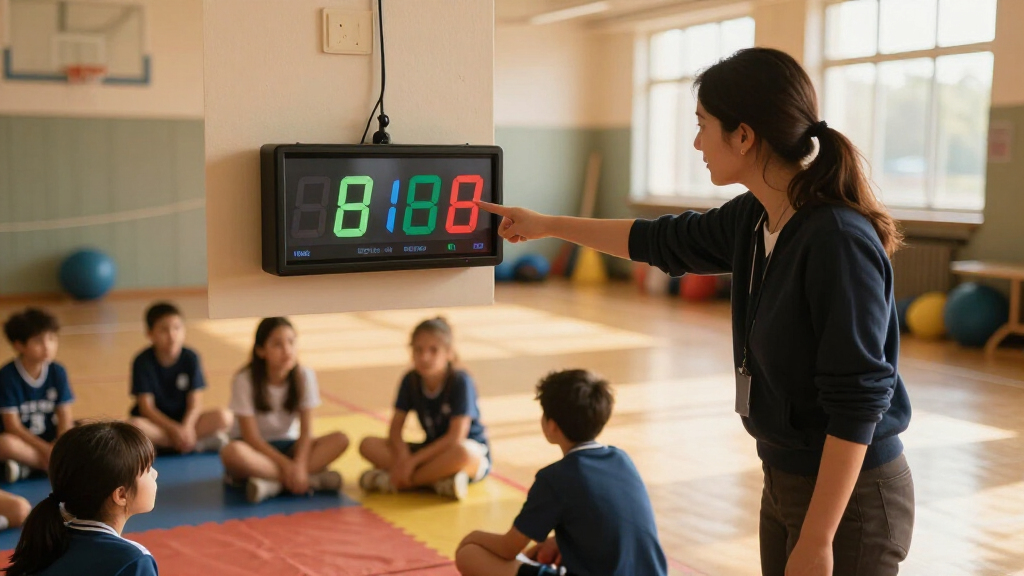
digital classroom timer with alarms
As an affiliate, we earn on qualifying purchases.
As an affiliate, we earn on qualifying purchases.
Key Features to Look for When Picking a Classroom or PE Timer
- Ease of Use: Timers should be intuitive, with clearly labeled buttons or touchscreens, enabling teachers to set, start, or pause quickly without disrupting the flow of activities. This reduces setup time and minimizes errors during busy moments.
- Audible Alerts: A loud, distinctive alarm helps ensure everyone notices when time is up, especially in noisy environments. Consider whether the sound is adjustable or can be silenced to suit different settings.
- Visual Indicators: Lights, color changes, or segments provide at-a-glance information, which is especially valuable for students with visual learning preferences or cognitive differences. The clarity and brightness of these cues directly impact how effectively students can self-regulate.
- Portability: Compact, durable timers that can be easily moved between classrooms and gyms support flexible scheduling and quick transitions. Durability is key to withstand active environments.
- Customization: Options to set multiple timers or different interval modes allow tailoring to specific routines. For example, educators can prepare timers for different activities or rotations, reducing the need for on-the-fly adjustments that can cause confusion or delays. Evaluating these features ensures the timer not only fits your current needs but also adapts as your routines evolve. The right combination of features can streamline your management, foster independence, and create a more predictable environment for students.
Amazon
As an affiliate, we earn on qualifying purchases.
How Timers Help Manage Transitions and Keep Students Engaged
Effective transitions are often a challenge in busy classrooms and gyms. Timers serve as objective cues that help students understand and anticipate change, reducing reliance on teacher prompts or reminders. When students see or hear the timer, they can self-regulate, which promotes independence. For example, a timer set for cleanup not only signals the end but also provides a visual or auditory cue that students can respond to without constant supervision, freeing teachers to focus on instruction.
In practical terms, this means fewer interruptions, less downtime, and more consistent routines. When students learn to monitor their own time using timers, it encourages responsibility and helps develop time-awareness skills. For teachers, this translates into smoother class management and increased student autonomy, leading to a more engaged and self-directed learning environment. Recognizing the importance of these cues allows you to design routines that leverage timers as proactive tools rather than reactive prompts—making transitions seamless and reducing chaos.
Amazonanalog classroom timer for teachers
As an affiliate, we earn on qualifying purchases.
As an affiliate, we earn on qualifying purchases.
5 Practical Tips for Using Timers Effectively in Your Class or Gym
- Set clear expectations: Clearly communicate what the timer is for, how students should respond when it goes off, and the importance of adhering to the timing. This clarity helps students internalize routines and reduces confusion, especially for new or young learners.
- Use visual cues: Combine auditory signals with visual indicators like lights or color segments. This dual approach supports diverse learning needs and helps students develop self-monitoring skills, making transitions smoother and more predictable.
- Practice routines: Regularly incorporate timers into your daily schedule so students become accustomed to their presence and purpose. Reinforcing these routines builds confidence and autonomy, reducing the need for constant supervision.
- Adjust for activity type: Tailor timer length to the task—shorter for quick transitions, longer for sustained work. Being mindful of activity demands ensures timers support rather than hinder engagement, preventing frustration or rushes.
- Leverage technology: Use apps or remote controls to manage multiple timers efficiently. Setting up timers in advance or controlling them from a central device streamlines transitions, especially in complex routines like circuit training or stations.
To make the most of timers, establish a routine that integrates their use seamlessly. For example, always introduce the timer before an activity, demonstrate how students respond, and reinforce expectations consistently. Practice using timers in different scenarios—like transitions, timed tasks, or group work—to build familiarity and confidence. Over time, this routine becomes second nature, empowering students to self-regulate and reducing your oversight. Additionally, consider creating a checklist for setting up timers—checking batteries, programming, and testing alarms—to ensure smooth operation during busy sessions. These steps help turn timers from simple devices into effective tools that support your classroom or gym management goals.
AmazonAs an affiliate, we earn on qualifying purchases.
Comparing Digital, Analog, and Visual Timers: Which Fits Your Needs?
Feature Digital Timers Analog Timers Visual Timers Accuracy High, down to seconds Moderate, typically minutes High, especially with color segments Ease of Use Very simple, programmable Very straightforward Intuitive, especially for young students Visual cues Displays numbers, alarms Color-coded dial Color segments or lights Best for Complex routines, remote control Basic timing, quick checks Early learners, students with special needs Tech Trends: How Modern Timers Elevate Classroom and PE Management
Today’s timers go beyond simple countdowns. Some sync with classroom management apps, letting teachers control multiple timers from a tablet. Others feature interactive displays that visually reinforce the passage of time, especially for students who struggle with abstract concepts. Eco-friendly designs with rechargeable batteries are also gaining popularity, reducing waste and costs.
Understanding these trends helps educators choose timers that offer both efficiency and engagement. For example, integrating timers with classroom management platforms allows for synchronized routines, reducing manual adjustments and human error. These innovations can also provide data on how students interact with time, informing adjustments to routines or instructional strategies. Embracing modern timers means investing in tools that support differentiated instruction, promote independence, and streamline management—ultimately leading to a more organized and responsive learning environment. The tradeoff often involves a learning curve or higher initial cost, but the long-term benefits in efficiency and engagement are substantial.
Frequently Asked Questions
How do I pick the best timer for my classroom or PE activities?
Start by considering the age of your students, activity type, and whether visual cues are needed. Digital timers work well for precision, while visual timers support early learners or students with special needs. Test different types to see what fits your routine best.
Are digital timers better than analog timers?
Digital timers offer more features, precise countdowns, and remote control options, making them ideal for complex routines. Analog timers are simple, reliable, and great for quick visual checks, especially in environments with young children.
How can timers help students with special needs?
Visual timers with color segments or lights help students understand how much time remains, reducing anxiety and encouraging independence. Clear alarms also signal transitions, making routines predictable and less stressful.
Can I use timers for remote or hybrid classes?
Absolutely. Digital timers and apps allow remote control and remote alerts, making them perfect for hybrid setups. Teachers can monitor and adjust timers from afar, keeping activities on schedule regardless of location.
What are best practices for integrating timers into daily routines?
Explain their purpose clearly, incorporate them into routines consistently, and reinforce expectations. Practice using timers regularly so students see them as natural parts of transitions and activities, not just interruptions.
Conclusion
Timers aren’t just ticking devices—they’re your silent partners in creating a smooth, engaging environment. With the right choice and smart implementation, they turn chaos into rhythm, helping every student stay on track.
So next time you start a new activity, set a timer. Let the clock do the heavy lifting. After all, mastering the rhythm of the day keeps your lessons flowing—and your students focused—and that’s priceless.
FALL Fall Picks
fall essentialsfall essentials
As an affiliate, we earn on qualifying purchases.